

Patch an area
The Patch tool lets you repair a selected area with pixels from another area or a pattern. Like the Healing Brush tool, the Patch tool matches the texture, lighting, and shading of the sampled pixels to the source pixels. You can also use the Patch tool to clone isolated areas of an image. The Patch tool works with 8‑bits or 16‑bits-per-channel images.
 When
repairing with pixels from the image, select a small area to produce
the best result.
When
repairing with pixels from the image, select a small area to produce
the best result.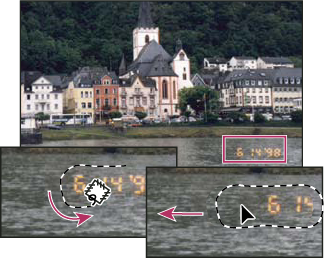
Using the Patch tool to replace pixels
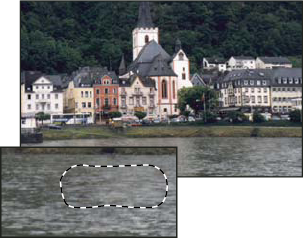
Patched image
 Repair an area using sampled pixels
 .
.